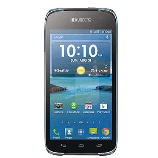
When I order an Unlock Code for my Kyocera Hydro LIFE, what will I receive?
We provide you with the Unlock Code to permanently unlock your Kyocera Hydro LIFE.
In case your Kyocera Hydro LIFE requires multiple Unlock Codes, all Unlock Codes necessary to unlock your Kyocera Hydro LIFE are automatically sent to you.
We also provide detailed instructions on How To Unlock your Kyocera Hydro LIFE. In most cases the procedure is very easy:
Our Support Team is there to help with any questions you may have, please feel free to contact us anytime!
How to Unlock Kyocera Hydro LIFE?
Method #1:
Insert SIM card from a source different than your original Service Provider (i.e. if you have a Rogers phone, use a non-Rogers SIM card).
Kyocera Hydro LIFE will ask you to enter SIM Unlock PIN.
Enter unlock code.
Your Kyocera Hydro LIFE will be unlocked!
Method #2 (for T-Mobile):
Insert a non-compatible SIM and turn Kyocera Hydro LIFE ON.
Kyocera Hydro LIFE automatically prompts you to enter the code into an empty field.
Tap in the empty field above Unlock & Dismiss.
Enter the unlock code provided by T-Mobile.
Tap the Back key to remove the keyboard from screen.
Tap Unlock.
The phone displays Network Unlock Successful.
Any suggestion? Want to help us improve our Guideline to unlock Kyocera Hydro LIFE ? or those are not accurate ? Please contact us
Other names for Kyocera Hydro LIFE
Kyocera C6530N
UnlockBase is an incorporated company, we've been unlocking cell phones for 22 years now and strives to provide the best service for our clientele.
All products, and company names, logos, and service marks (collectively the "Trademarks") displayed are registered® and/or unregistered trademarks™ of their respective owners. UnlockBase is not associated with or sponsored by Kyocera. The authors of this web site are not sponsored by or affiliated with any of the third-party trade mark or third-party registered trade mark owners, and make no representations about them, their owners, their products or services.
Why Purchase From Us?
Permanent Factory Unlock
Full Permanent Unlock (All Levels)
100% Money back guarantee
24/7 Customer support team
Fastest turnaround of delivery
Simple instructions provided
Rated 4.9 out of 5 from 15588 reviews
Our Last 4 Certified Reviews
Solomon Osita on 07/28/2026
I’ll say this didn’t take 5days , I’m okay with everything they where so helpful giving me feedback constantly and trust me when I say I was scared , but they is still some decency out there I appreciate unlockbase and their fast customer service response it was a us reseller lock policy but they unlocked it for me
Azariah L-B on 07/27/2026
It was great very reliable
Elvin F on 07/26/2026
The best to unlock Att iPhone. Att didn't want to unlock iphone because plan wasn't cancel on time. I didn't owe them but because I cancel plan earlier they didn't want to unlock my iPhone. Weird shit but I had to use unlockbase and they did it. I can't be happier. Im so happy to use phone with another carrier. Unlockbase won my business for ever. Highly recommend them. Thx
 Loading